
Meet your assistant in WhatsApp.
Connect your WhatsApp agent key and we’ll welcome you in WhatsApp. No email or password needed.
WhatsApp has only just begun rolling out Agents, so you may not see the Agents tab in your settings yet.
Connect in a moment
Create an agent and find your key
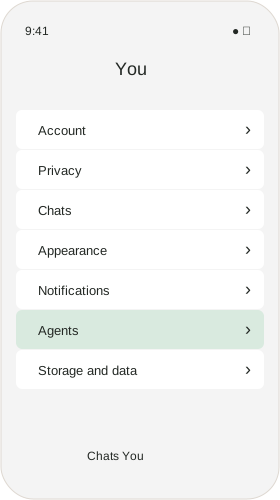
In WhatsApp, open You, then choose Agents.
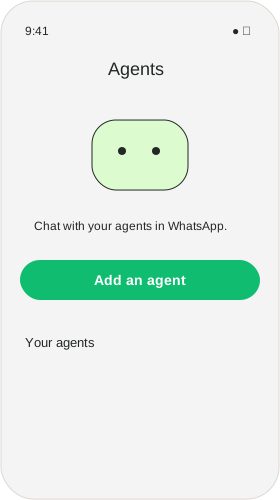
Choose Add an agent.
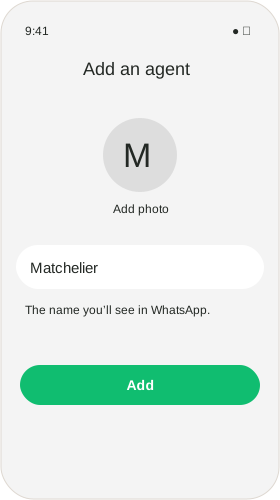
Enter Matchelier, then choose Add. A photo is optional.
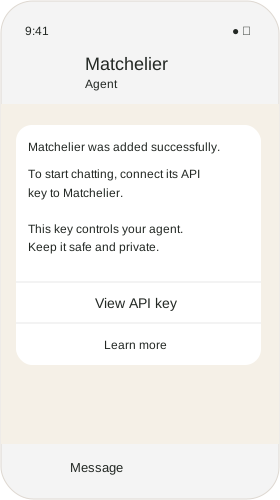
In the new agent chat, choose View API key.
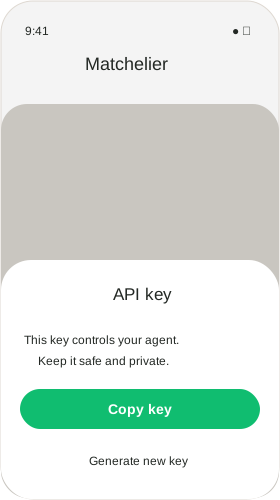
Choose Copy key, paste it below, then connect. Return to your agent’s chat to see our welcome. If it hasn’t arrived, send a hello.
These illustrations follow WhatsApp on iPhone.
A little more personal
Send a voice note when speaking feels easier, or share a photo when your assistant asks. When there is an introduction for you, you can open its details in the app. Payment invitations include a link to the website.